Member Benefits
Benefits are the perks that come with a plan: free entry, a discount on events, an early booking window. They're applied automatically when a member is signed in and books, so nobody has to remember a code.
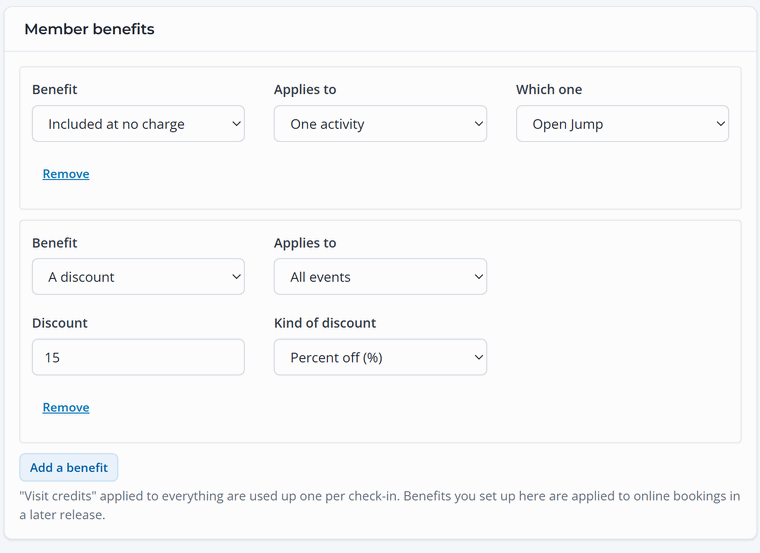
Add a benefit
- Open the plan under Memberships › Plans and scroll to Member benefits.
- Click Add a benefit and choose what it is and what it applies to.
- Save plan. Add as many benefits as you like.
Kinds of benefit
- A discount: a percent or dollar amount off, for example 15% off every event ticket.
- Included at no charge: free entry, for example unlimited Open Jump for monthly members.
- Visit credits each period: a number of free visits each month or year, like four climbing sessions a month.
- Members-only: something only members can book, like an early-morning members' session.
- Book earlier than the public: members can book further ahead than everyone else. Set the public window under Memberships › Settings.
What it applies to
Each benefit can apply to All bookable items, All events, One event, All activities or One activity. Add two benefits if you want, say, Open Jump and Toddler Time both included but not birthday parties.
Make the value obvious. Put the key perks in the plan's short description too ("Unlimited Open Jump plus 15% off events"), so people see what they get before they click Join.