Add-Ons
Add-ons are extras guests can add while they book: grip socks, a locker, pizza for the party, a photo package. They're an easy way to raise your average order, and guests like having everything sorted before they arrive.
Create an add-on
- Open an activity under Activities › Activities and go to the Add-Ons tab.
- Click Create New. Enter a name, a short description and the price, and optionally upload an image.
- Click Save Add-On Item. It's attached to this activity right away.
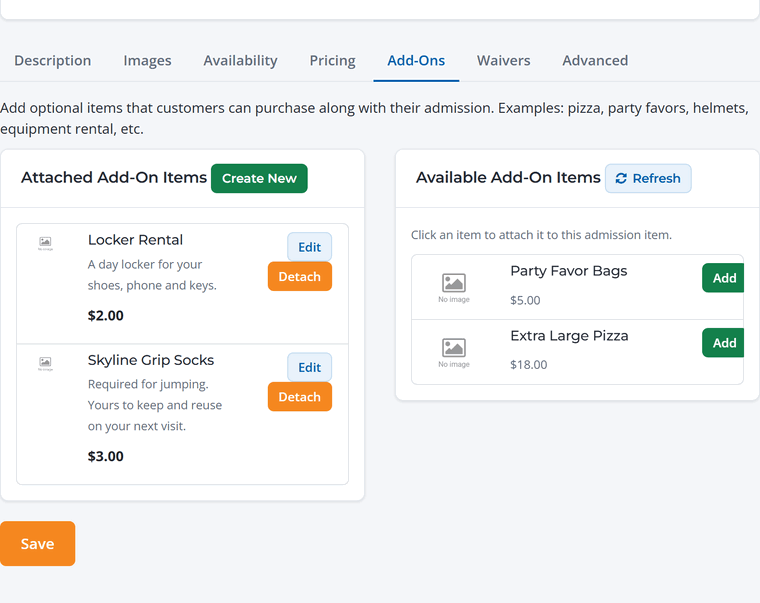
Use an add-on on more than one activity
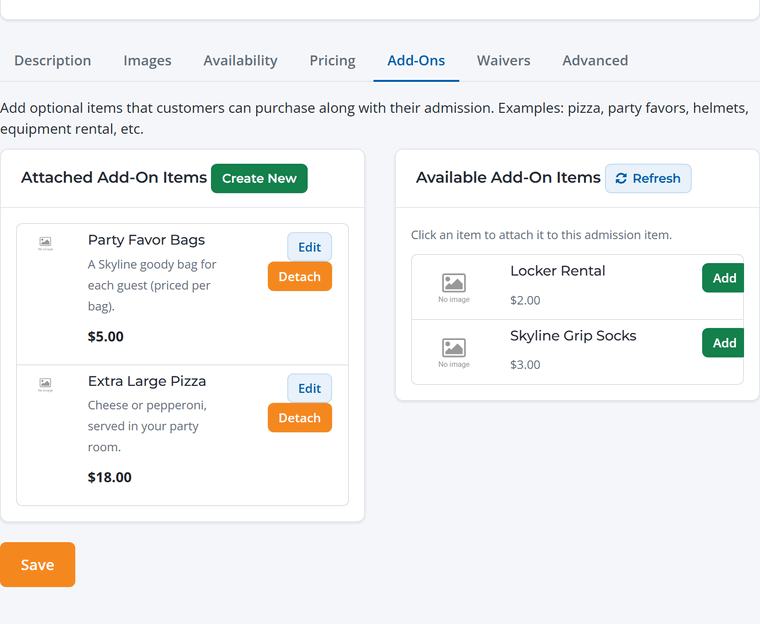
Add-ons you've already created appear under Available Add-On Items. Click Add to attach one to this activity. Change an add-on once and it updates everywhere it's used. To remove it from one activity, click Detach.
What guests see
Add-ons appear below the guest count on the activity page, each with a quantity selector. The cart shows each add-on on its own line.
Fewer, better add-ons. One or two add-ons that most guests need (grip socks, pizza for a party) sell better than a long list. Put "required" items like grip socks first and say so in the description.