Schedules, Time Slots and Capacity
A schedule decides when guests can book an activity and how many can come. Set it once and WaiverFile keeps count, so you never oversell a session.
Two kinds of schedule
- Specific times: guests pick a date and a time slot, like 10:00 to 12:00. Best for sessions, parties and anything with a start time.
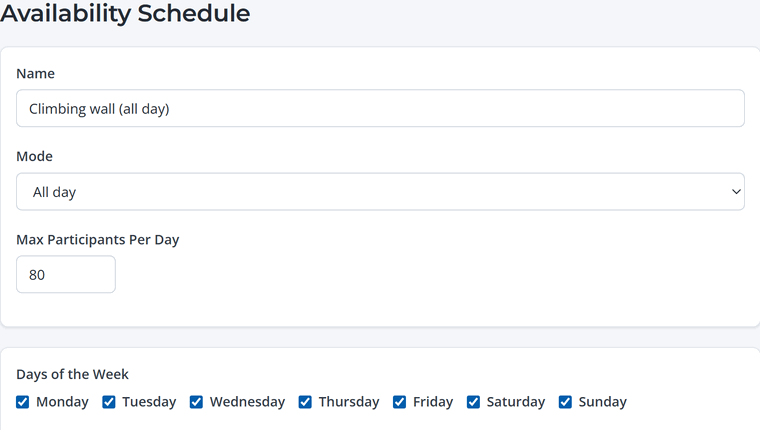
- All day: guests pick a date only, and their booking is good for the whole day. Best for day passes and open play.
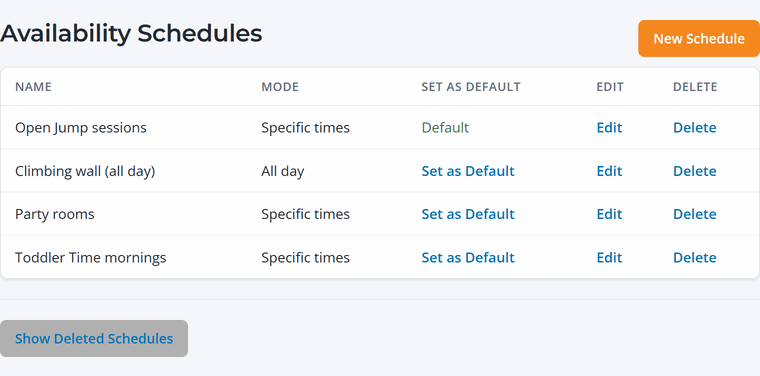
Find your schedules under Activities › Schedules. Several activities can share one schedule, or each activity can have its own. The schedule marked Default is used for new items.
Set up time slots
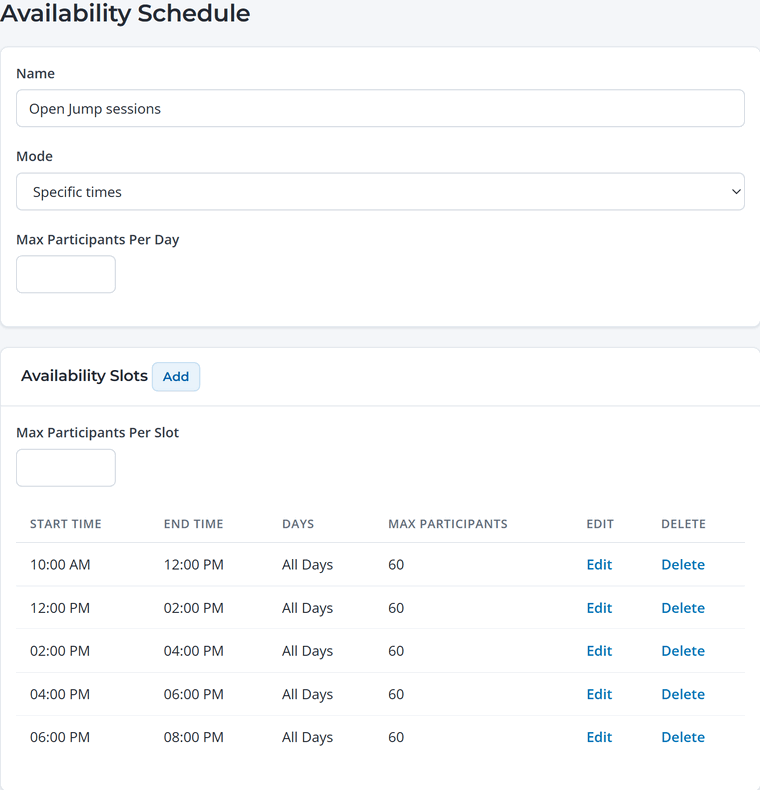
- Open a schedule (or click New Schedule) and set Mode to Specific times.
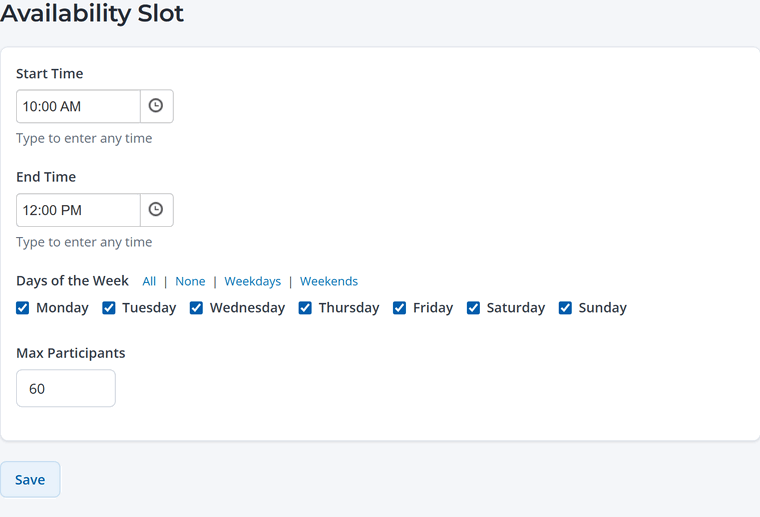
- Click Add next to Availability Slots for each session. Enter the start and end time, the days it runs, and the Max Participants for that slot.
- Save. Every activity using this schedule now offers these times.
Slots can run on different days. For example, a party schedule might offer 11:00, 2:00 and 5:00 on weekends, and only 5:00 on Fridays. Use the All, Weekdays and Weekends shortcuts to check days quickly.
Capacity
- Max Participants (per slot): the most guests who can book that slot for an activity. When a slot is full it shows as sold out.
- Max Participants Per Day: an overall daily cap. Use it for all-day schedules, or as an extra limit on top of your slots.
- Leave a limit blank for no limit.
Guests see how many spaces are left when a slot is getting full, which helps them decide quickly.
Capacity is per activity. Activities can share a schedule's times, but each activity keeps its own count. Set each slot's limit to what that activity can safely hold.
How far ahead guests can book
By default guests can book any date that has availability. To limit how far ahead the public can book, set Early booking for members under Memberships › Settings. You can then give members an earlier booking window as a perk.
Change an activity's schedule
Open the activity, go to its Availability tab and choose a different schedule. If you use seasons, you can pick a different schedule for each season.