Booking Fee, Cancellations and Saved Cards
Booking settings control how the booking fee shows at checkout, when guests' cards are saved, and what guests can cancel on their own. Find them under Bookings & payments › Booking.
Pricing and fees
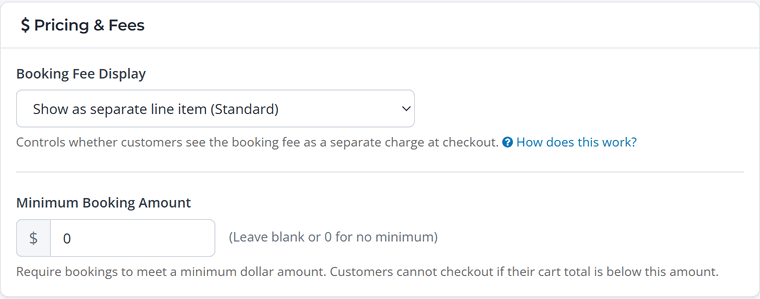
Booking fee display
WaiverFile charges a booking fee on each booking (see Pricing). You decide who pays it:
- Show as separate line item (Standard). The guest sees a "Booking Fee" line in their cart and pays it. You receive the full price of what you sold.
- Hide from customers (You absorb the cost). Guests see your prices only. The fee comes out of the payment before it reaches you.
The fee is shown in the cart from the start, so there are no surprises at the last step.
Bookings your staff create at the front desk don't show a booking fee line. Card payments on them carry an in-person fee instead, which your guest doesn't see, and cash and check have none. See Front Desk Fees, Refunds and Reports.
The booking fee is non-refundable, and guests see "The booking fee is non-refundable" in the cart, at checkout and on their receipt. See Orders and Refunds for what happens to the fee when you refund, including refunds of a deposit.
Minimum booking amount
Set a minimum cart total if small orders aren't worth it for you. Leave it at 0 for no minimum.
Saved cards
Saving a guest's card lets you collect a balance later without asking them to pay again, for example the rest of a party package after a deposit.
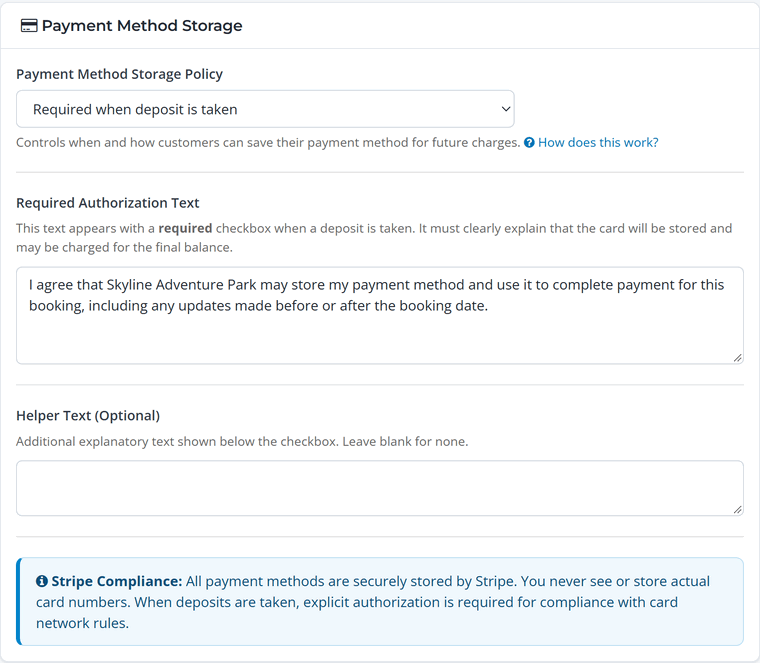
Choose a Payment Method Storage Policy:
- Required when deposit is taken (recommended). If a guest pays only a deposit, they agree to keep their card on file for the balance.
- Always optional. Guests can choose to save their card.
- Always required. Every booking saves the card.
- Never offer to save cards.
When a card is required, the guest checks a box with your Required Authorization Text. The default text works for most businesses, and you can edit it to match your policy. Cards are stored by Stripe; you never see the full card number.
Cancellation policy
This controls what guests can do themselves from their booking page. Staff can always cancel any booking from the admin.
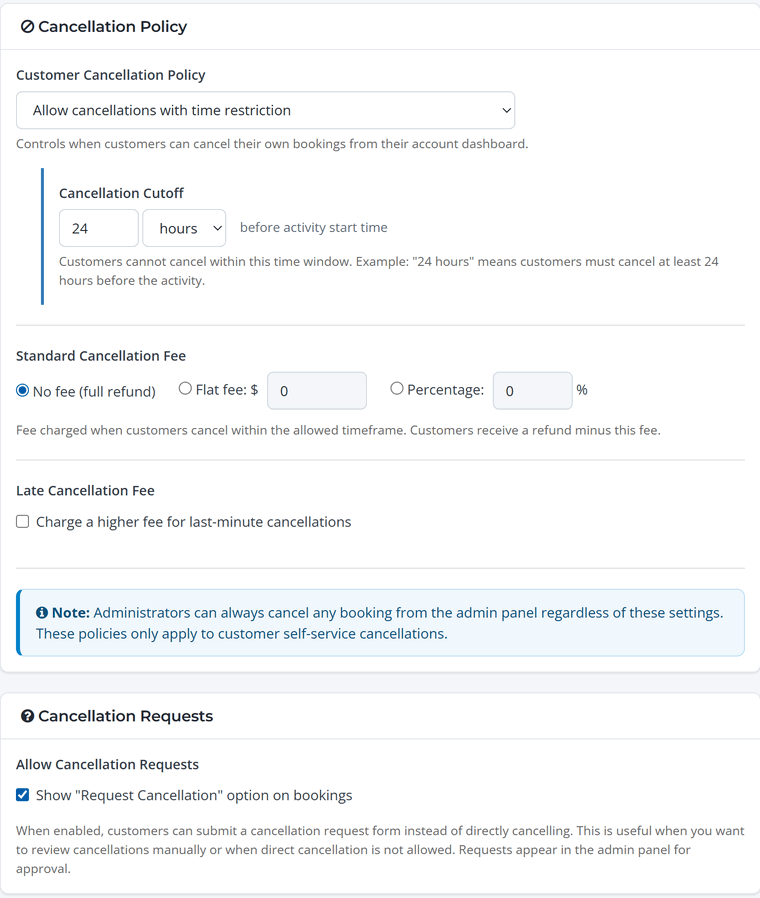
- No cancellations allowed, Allow cancellations with time restriction (for example, up to 24 hours before), or Allow cancellations anytime before activity.
- Standard cancellation fee: no fee, a flat amount, or a percentage. The guest is refunded the rest automatically. On a booking that's paid in full, the booking fee isn't refunded when a guest cancels.
- Late cancellation fee: optionally charge more for last-minute cancellations.
- Cancellation requests: show a "Request Cancellation" option so guests can ask instead of cancelling directly. Requests show up on the booking for you to approve.
Keep it simple. A clear policy, like free cancellation up to 24 hours before, keeps phone calls down and makes guests more comfortable booking ahead.