Packages and Deposits
Packages bundle a set number of guests at one price, like a birthday party for 10. Add a deposit so guests can hold their date with a smaller payment and pay the rest later.
Create a package
- Open the activity (for example "Birthday Party") and go to the Pricing tab.
- Click Add Package under Package Deals.
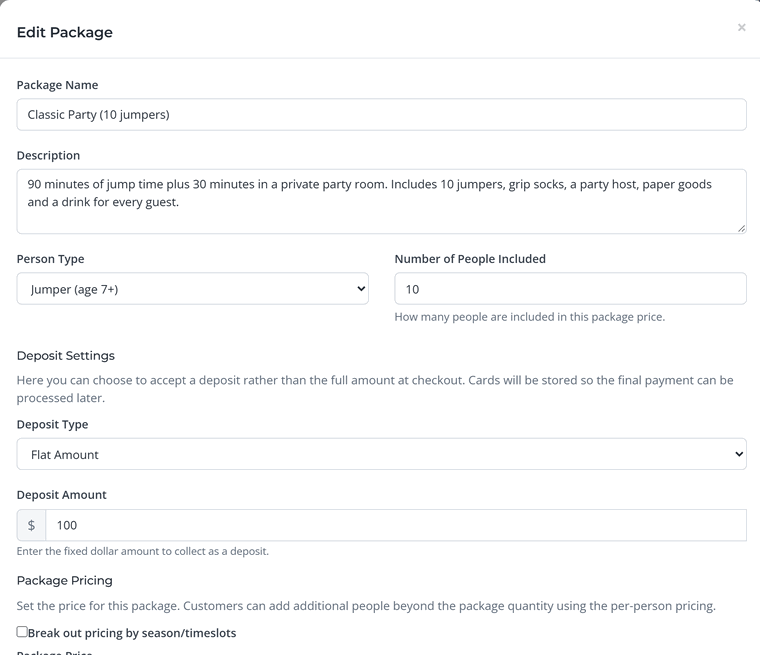
- Fill in the details: a name, a description of what's included, the guest type and the Number of People Included.
- Set the price. Enter one package price, or check Break out pricing by season/timeslots to charge more on weekends or in peak season.
- Choose a deposit (optional, see below) and click Save Package.
Extra guests
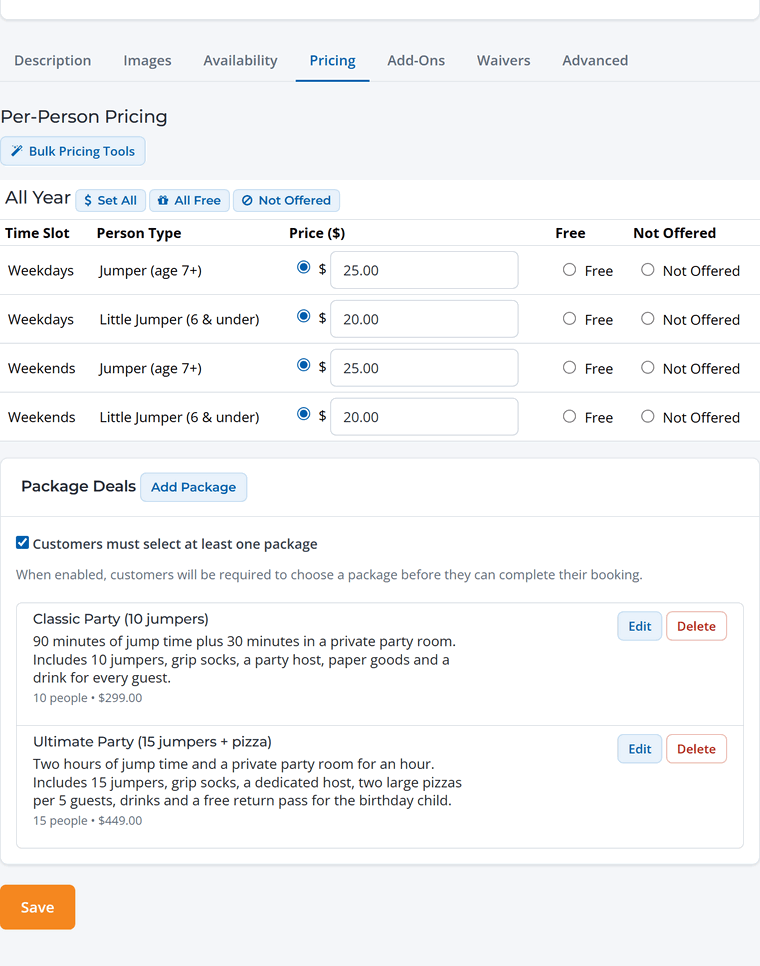
Guests can add people beyond the number included in the package. Extra guests are charged at the activity's regular per-person prices, so set those on the same Pricing tab (for example $25 per extra jumper). If you don't want extras, mark the per-person prices Not Offered.
Require a package
Check Customers must select at least one package when the activity should only be sold as a package, like a party. Guests then pick a package first and add any extras.
Deposits
Choose a Deposit Type for the package:
- None: the guest pays the full price at checkout.
- Flat Amount: a set amount, for example $100.
- Percentage: a share of the total, for example 25%.
At checkout the guest pays the deposit, and their card is saved securely so you can collect the balance later. They agree to this with a checkbox (you can edit the wording in Booking settings).
WaiverFile's booking fee is worked out on the whole booking and collected from the deposit, so the balance you collect later carries no booking fee. This means less of the deposit itself reaches you, so set a deposit comfortably above the booking fee. If a deposit is smaller than the booking fee, guests are charged at least the booking fee when they book.
Collecting the balance
The booking shows the amount still due. When it's time, open the booking and click Collect payment to charge the saved card, take a new card, or email the guest a payment request. Guests can also pay the balance themselves from their booking page. See Collect a Balance or Send a Payment Request.
Parties and groups. After booking, the host can paste their guest list and every guest gets a link to sign their own waiver before the party. You can see who's done on the booking. See
Waivers After Booking.