Orders and Refunds
Every payment, whether a booking, an event ticket, a membership charge or a balance, is saved as an order. Orders are where you look up a payment, see exactly what was charged, and issue a refund.
Find an order
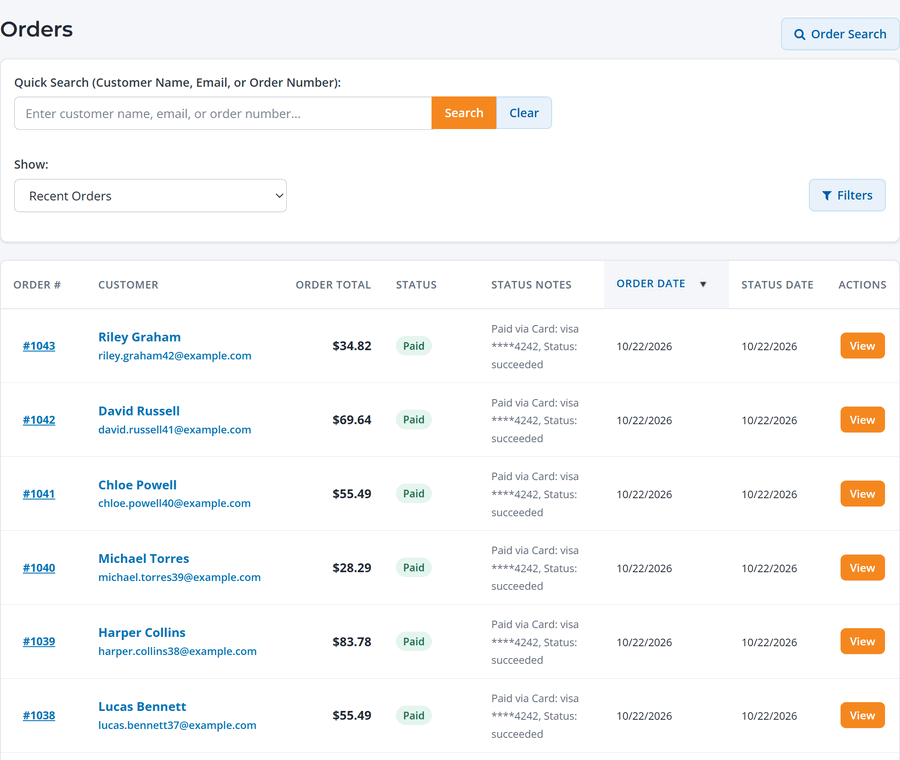
Go to Orders. Search by customer name, email or order number, or filter by date, status and order total. Each order has a number that starts at 1000 and goes up for your account.
Inside an order
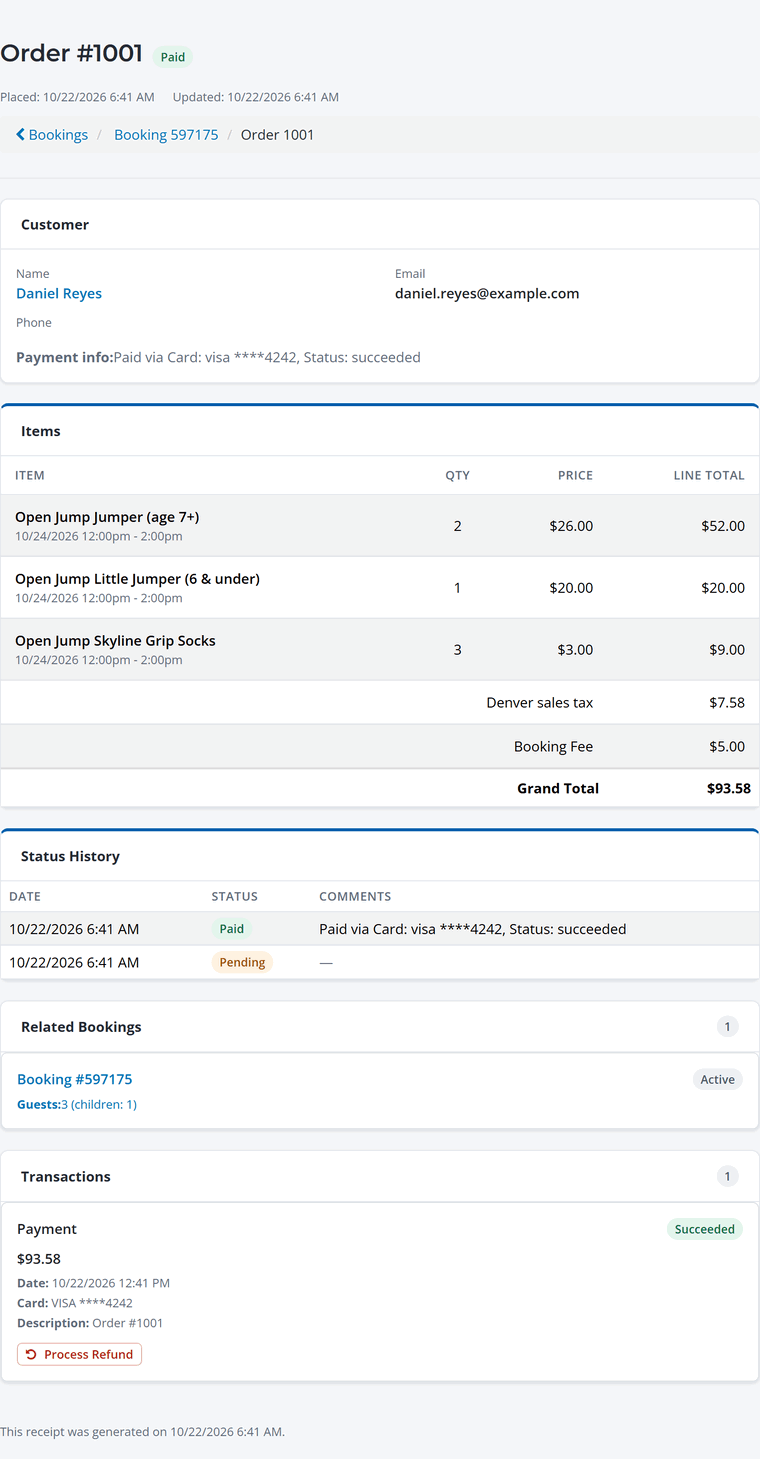
The order shows the customer, each item with its price, tax, the booking fee and the total. Below that are the status history, the booking it belongs to, and each payment or refund with the card used.
Refund a payment
- Open the order and click Process Refund under the payment.
- Choose what to refund. Check the items, or enter a partial amount for any of them. Select All checks every line on the order. Tax is worked out for you.
- Pick a reason (required) and add notes if you like. They're kept with the order.
- Leave the notification checked to email the customer, and click Process Refund.
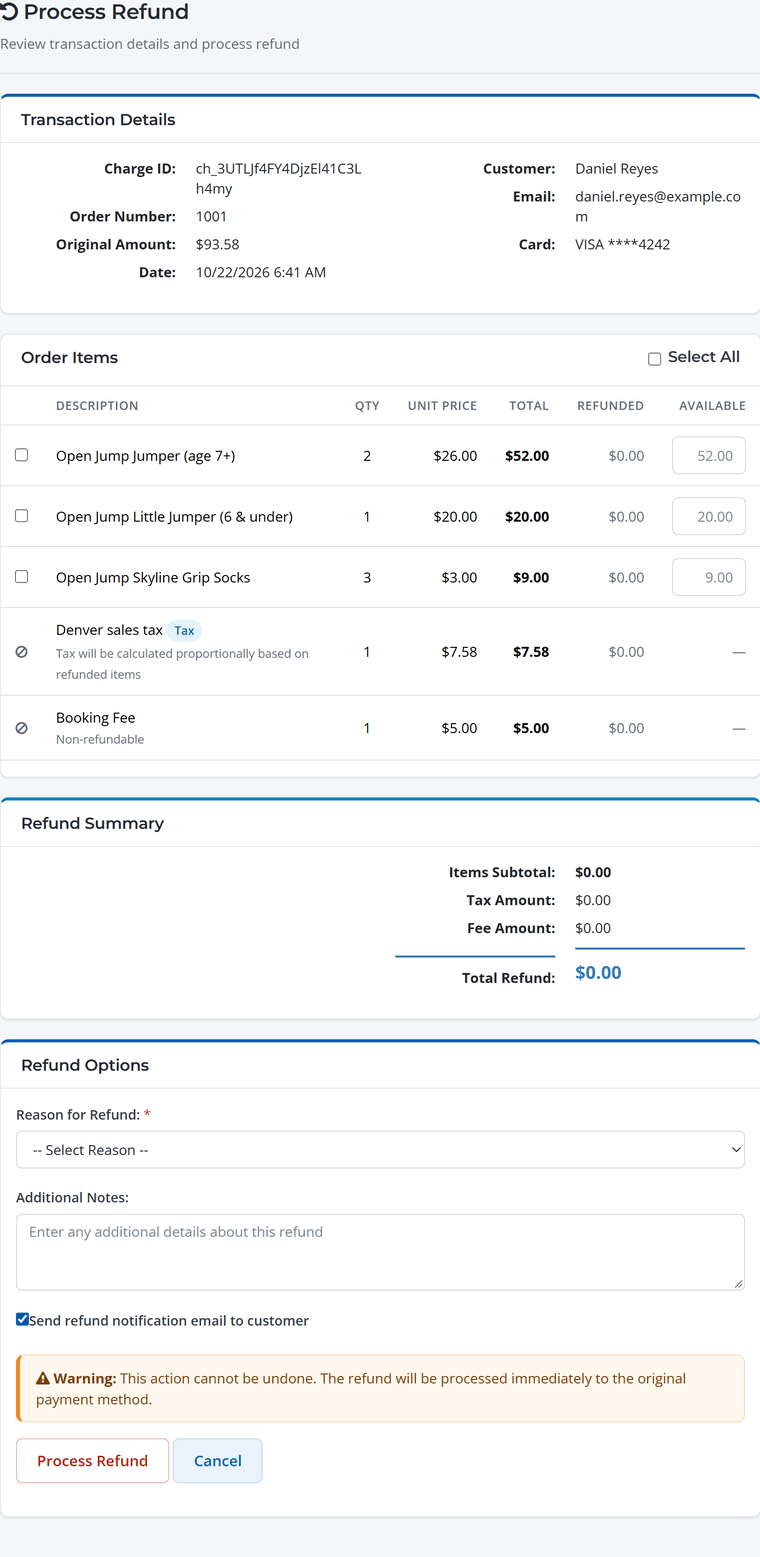
The refund goes back to the original card right away, and usually shows on the guest's statement within 5 to 10 days. Clicking twice won't refund twice.
The booking fee isn't refunded once a booking is paid in full. WaiverFile keeps the booking fee when a payment on a fully paid booking is refunded, and guests are told at checkout that it's non-refundable. You can still give the booking fee back as a goodwill gesture, for example when you cancel a booking yourself: check Also give back the booking fee when you refund or cancel. That amount comes from your Stripe balance. Refunds and cancellations leave it out unless you check it. Stripe keeps its processing fee on every refund.
Refunding a deposit. If you refund a deposit before the booking is paid in full, WaiverFile returns its booking fee to you in the same proportion. Refund the whole deposit and the whole fee comes back; refund half and half comes back. Your guest gets back whatever you refund. If you keep the deposit, or anyone on the booking has already checked in, WaiverFile keeps the fee.
- To cancel a booking and refund it in one step, use Cancel Booking on the booking instead (see Reschedule, Cancel or Change a Booking).
- Refunding a payment doesn't cancel a booking or end a membership on its own.
- Refunds are for card payments. Payments taken on a card reader at the front desk are refunded the same way, and the card doesn't need to be present. Interac payments taken on a reader can't be refunded in WaiverFile yet.
- Cash and check payments are returned outside WaiverFile and aren't recorded on the order. If you give cash back from the drawer, record it as a Paid out on the Cash drawer page, with the booking number as the reason, so your count still matches. See Open, Count and Close the Cash Drawer.
Disputes
If a guest disputes a charge with their bank, the payment is marked as disputed and you're notified at your order notification email. Respond from your Stripe dashboard under Bookings & payments › Payment Portal.