Point of Sale at the Front Desk
Sell walk-ins, collect balances and take cash or cards at your desk, in the same WaiverFile account that runs your online booking and waivers. Every sale is a real booking, so spots, waivers, check-in and reports stay in one place.
What you can do at the desk
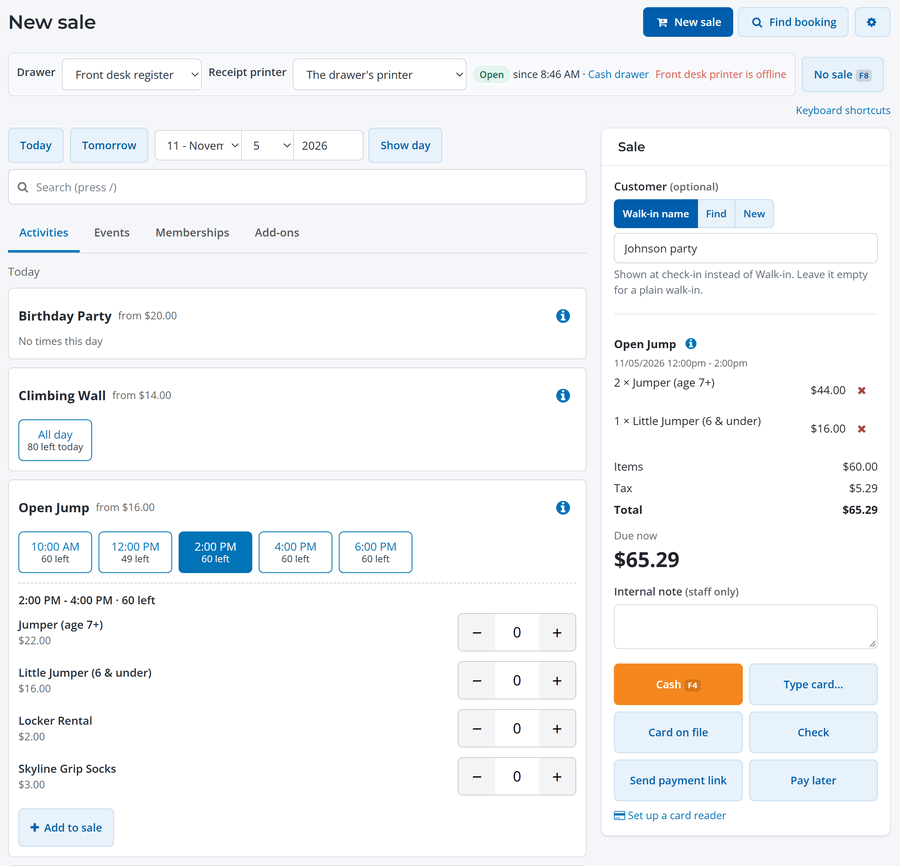
- Sell activities, events and add-ons for today or any other day, with the spots left shown on every time.
- Serve walk-ins without asking for their details, or pick an existing customer.
- Take payment by cash, check, card reader, typed card, card on file or payment link, or save the booking and collect later. You can split a payment across several methods.
- Collect a balance on any booking, including ones made online.
- Get waivers signed on a desk tablet, or text or email the link to the group.
- Hand over a receipt by email, text or print.
- Run a cash drawer with an opening float, paid in and paid out, and a count at the end of the day.
Web admin or the WaiverFile Venue app
You can run the front desk from two places. Both use the same bookings, drawers and readers.
- The web admin on any computer or tablet browser: go to New sale (under Today in the menu). Everything is here, including typed cards, memberships, refunds and all the setup pages.
- The WaiverFile Venue app on an iPad, iPhone or Android device in Front desk mode. It sells, takes payments, checks guests in and prints to a printer connected to the device. It can also take cash when the internet is down. See The Front Desk in the WaiverFile Venue App.
What you need
- Online booking turned on, with your activities and schedules set up. The front desk sells the same items guests book online.
- An active payment account for card payments (see Connect Your Payment Account). Cash and check work without one.
- A card reader if you want guests to tap or insert their card. Readers are ordered through WaiverFile. See Card Readers.
- A receipt printer and cash drawer if you want printed receipts and a drawer that opens on a cash sale. Both are optional. See Receipt Printers and Cash Drawers.
Who can use it. Staff with Moderator access or higher can sell, sell memberships and take payments. Setting up readers, printers and drawers and the Front desk payments report are for Administrators.
Next steps
- Make your first sale. See Sell at the Front Desk.
- Learn the payment options. See Cash, Card and Other Payments at the Desk.
- Check the fees. Cash and check have no WaiverFile fee. See Front Desk Fees, Refunds and Reports.