Customers
Everyone who books, buys a ticket or joins becomes a customer. Their record brings together their bookings, orders, signed waivers and memberships, so you can answer questions without digging.
Find a customer
Go to Customers and search by name, email or phone. Filters let you find customers with or without an account password, by booking activity, or by total spent. The list shows how many bookings each customer has made and how much they've spent.
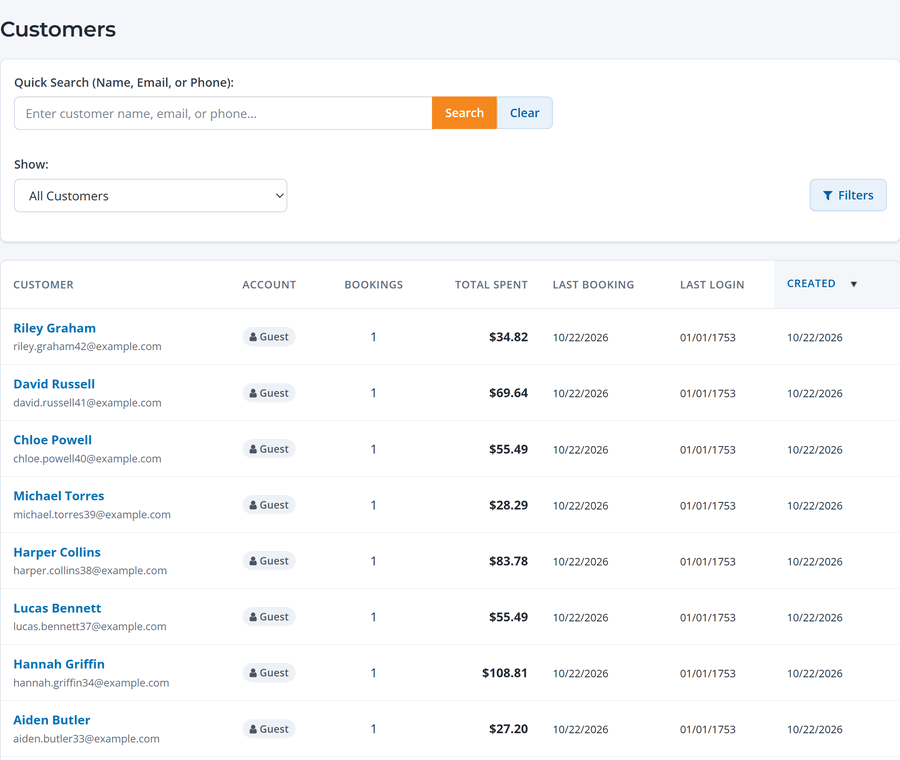
Guests don't need to create an account to book. WaiverFile creates a customer record from their email at checkout, and they can add a password later to manage their bookings.
The customer page
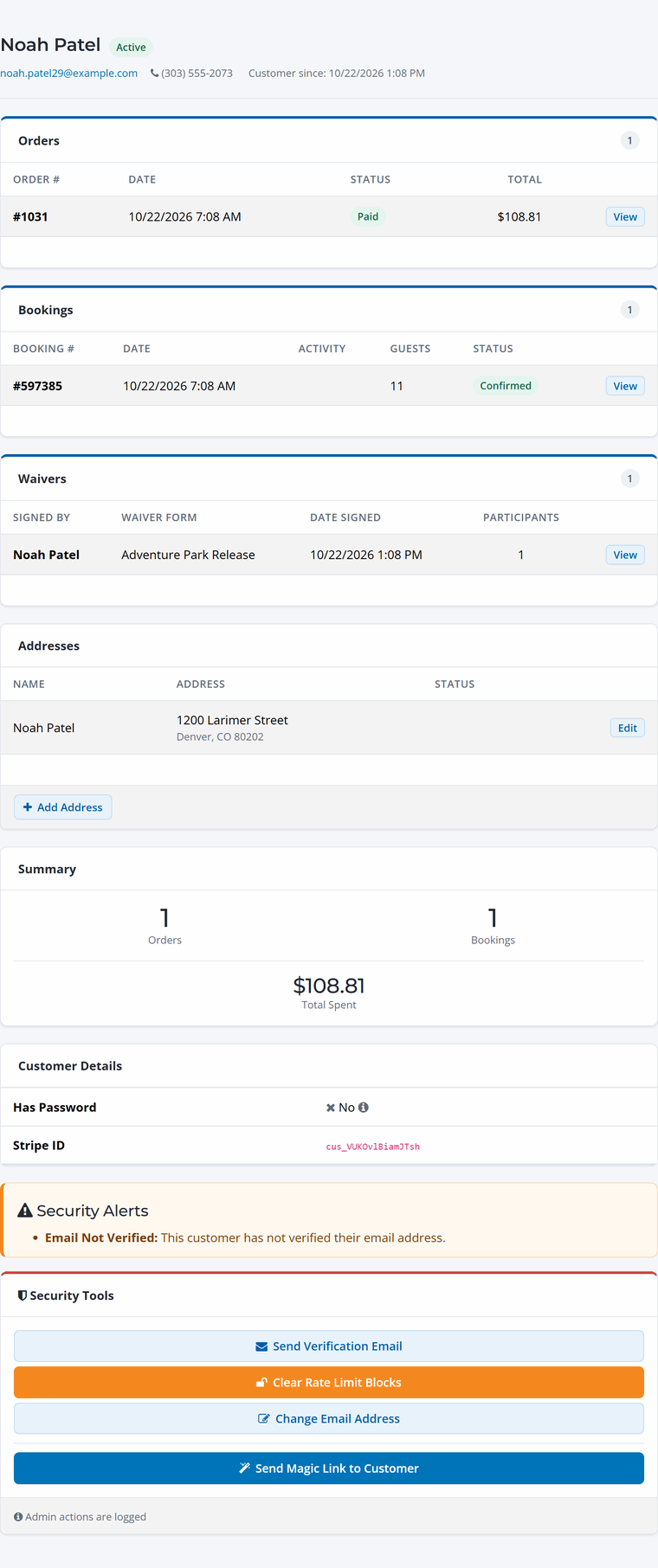
- Orders and Bookings: everything they've bought, with links to each one.
- Waivers: waivers they've signed, and who was on each.
- Addresses and a Summary of orders, bookings and total spent.
Help a customer get into their account
Under Security Tools:
- Send Magic Link to Customer: emails a one-time link that signs them straight in. Easiest for guests who never set a password.
- Send Verification Email: confirms their email address.
- Change Email Address: if they mistyped it at checkout.
- Clear Rate Limit Blocks: if they tried too many times and got locked out.
Actions taken here are logged.