Managing Members
The Members page is your list of everyone with a membership. Open a member to see who's covered, their payments and history, and to make changes like a pause, a free month or a plan change.
The members list
Go to Memberships › Members. Filter by plan and status, or use Show for the lists you'll check most often:
- Payment problems: members whose last renewal didn't go through.
- Waiver needed: someone on the membership still needs to sign.
- Ending within 14 days and Set to end: members who are about to leave, in case you'd like to reach out.
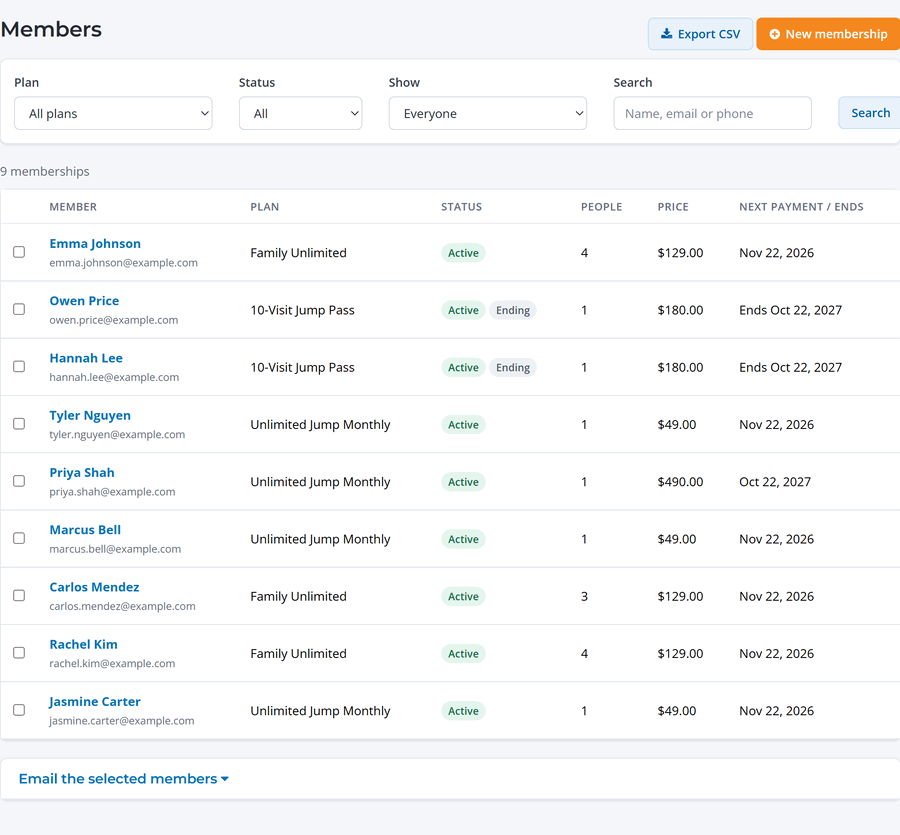
Select members to email them all at once, or click Export CSV for a spreadsheet. To add a member yourself, click New membership and take a card, record cash or check, or give it free.
A member's page
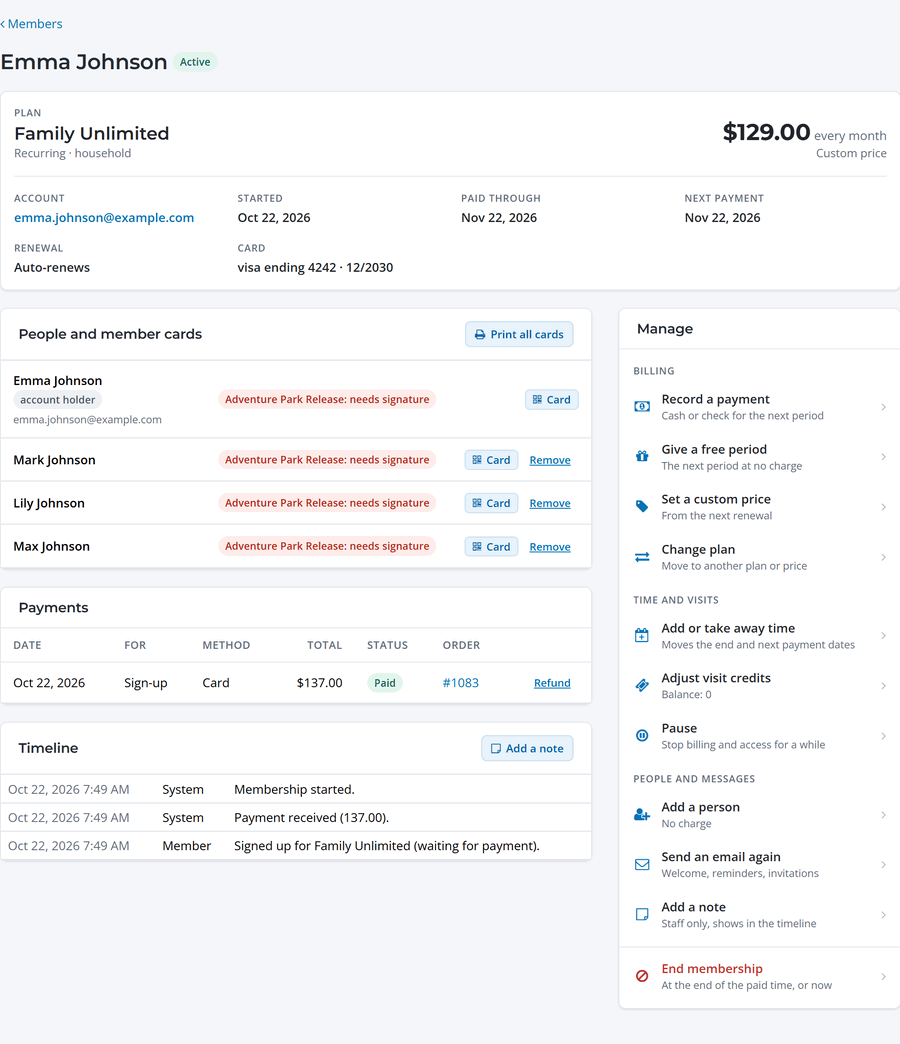
- People and member cards: everyone covered, their waiver status and their member card. Resend a card or replace a code if one is lost.
- Payments: every charge with a link to its order and receipt.
- Timeline: everything that's happened, from sign-up to each renewal, change and note.
Things you can do
The Manage panel on the right has everything in one place:
- Record a payment made in cash or by check.
- Give a free period, or set a custom price for this member.
- Change plan, add or take away time, or adjust visit credits on a visit pack.
- Pause and resume, following the plan's pause rules.
- Add a person to a household membership.
- Send an email again, like the welcome email or a receipt, and add a note for your staff.
- End the membership at the end of the period, or right away, with an optional refund to their card.
Checking members in
Members show their member card at the desk. Scan it, or find them on the Members tab of Check-in. Staff see straight away if a membership is paused, has a payment problem or needs a waiver, based on the plan's settings. Visit packs use one visit per check-in.